WARD GEYS↖ Back to portfolio

CASE STUDY / ATLAS OSLOCAL AI · REAL DESKTOP ACTIONS

Atlas OS

Your computer.
Working with you.

The Windows operating-layer experiment I built on the way to Atlas Companion. It brought local models, desktop tools, specialist agents and memory into one workspace, with a visible record of its actions.

Earlier Atlas OS interface. Sample data, disconnected backend.
Earlier Atlas OS interface. Sample data, disconnected backend. Explore the interface
Platform
Windows · Local AI operating layer
My role
Product direction, AI-assisted implementation and testing
Stage
Earlier Windows shell prototype
The actual Atlas interface, arranged for a readable 1080p capture. Memories, skills and graph entries are sample data; the AI backend is disconnected. Open full size ↗

THE STARTING POINT

Tell it the goal.
Give it the tools.

I wanted to be able to tell my computer what I needed and have it work through the steps with me: find a document, organise a folder, restore my workspace or help build something. That meant connecting conversation to the files, applications and windows I actually use.

Atlas OS brought that idea into a desktop workspace. Behind the interface is a Python system for planning tasks, running tools, remembering useful context and learning reusable procedures. The full shell and the compact Atlas companion share that core.

Ownership was central to the experiment: core AI, speech and memory running on my own hardware. I built this shell over Windows, then realised the scale of an entire operating system and returned to the companion I had wanted at the start.

FROM REQUEST TO RESULT

A conversation
that leads to action.

The assistant has access to real tools, task context and previous experience. Each part has a job in getting from a request to a useful result.

  1. 01

    Find the context

    Bring in relevant memories, saved solutions and live system information, such as open windows and resource usage.

    CONTEXT · MEMORY · RETRIEVAL
  2. 02

    Work through the task

    Plan steps, call tools and inspect their results. Focused subtasks can go to coder, researcher, sysadmin or writing specialists.

    PLANNING · TOOLS · SPECIALISTS
  3. 03

    Keep the useful parts

    Record actions and turn suitable successes into reusable skills. Failed attempts can leave a lesson for the next similar task.

    RECEIPTS · SKILLS · LESSONS

INSIDE ATLAS

One workspace.
Connected capabilities.

Work with the actual desktop.

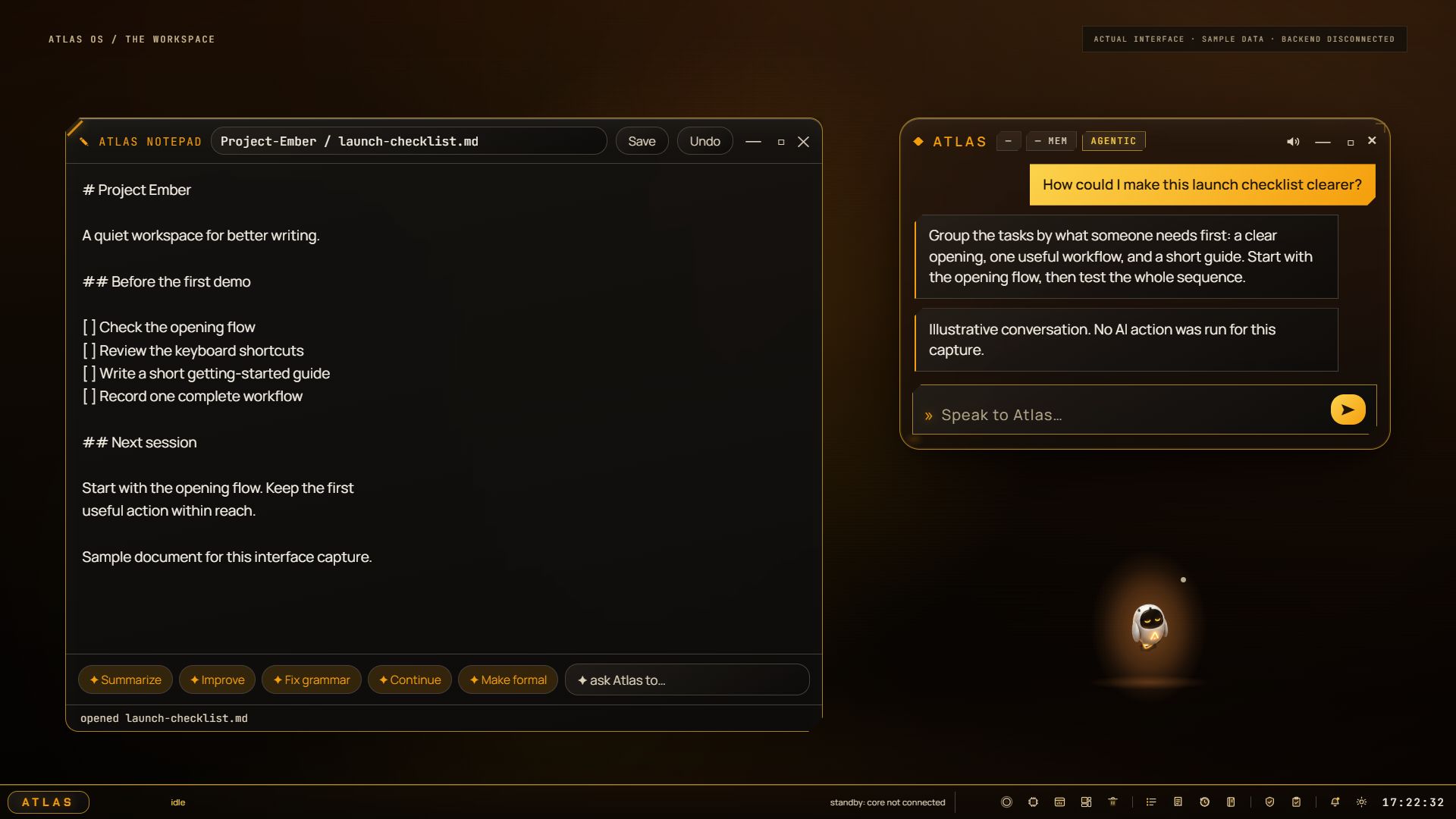
Launch applications, search and organise files, run commands and arrange Windows windows. Saved Scenes capture an app layout and restore it later, including launching missing apps. The shell adds a launcher, files, terminal, notepad, browser and system monitor.

Find what you remember.

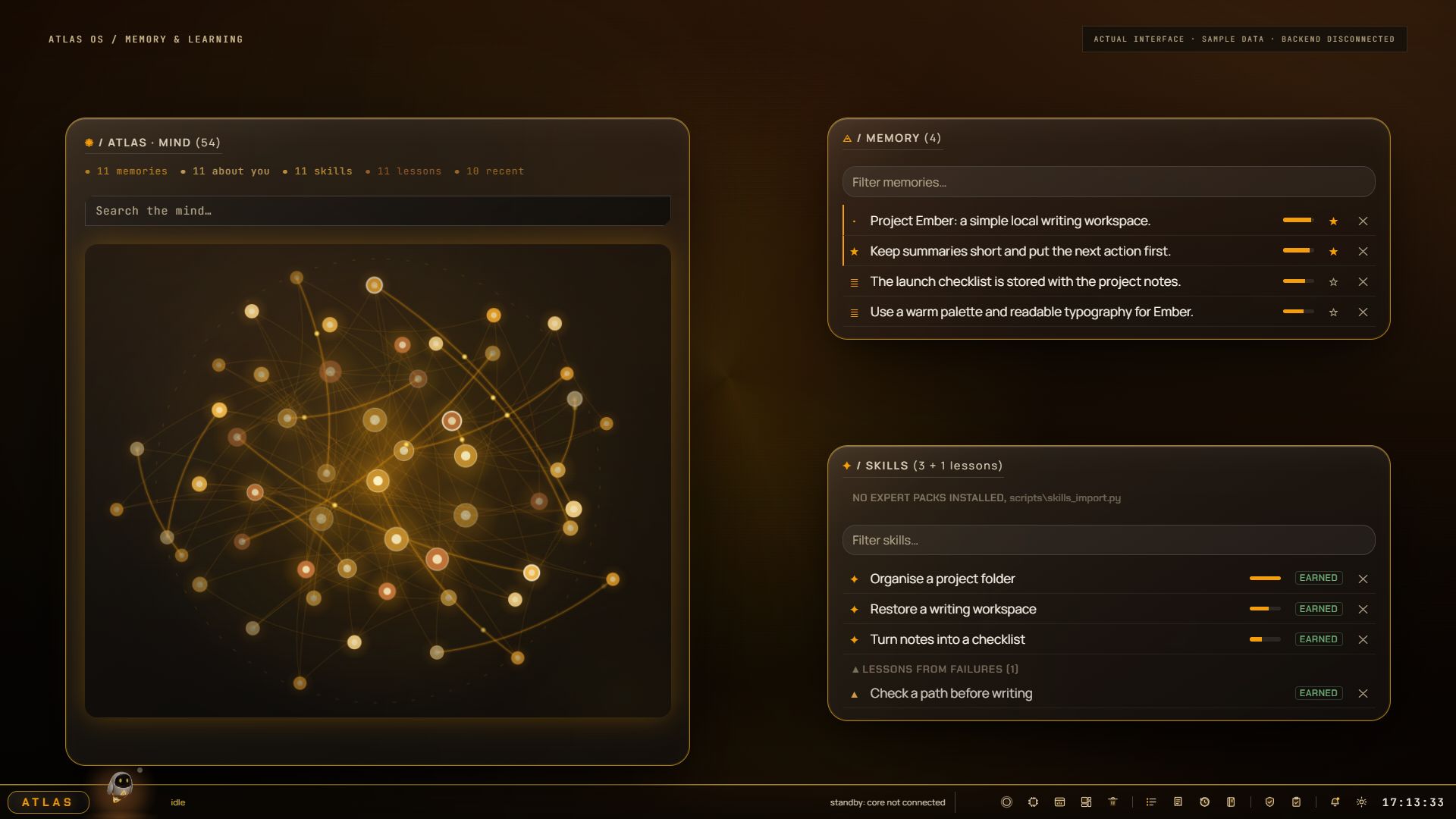
Total Recall searches across indexed documents, personal memories, saved fixes and structured notes, with source labels on results. An optional activity journal adds a searchable timeline of app and file activity, helping answer questions like “What was I working on yesterday?”

Learn from doing.

Atlas stores useful procedures from successful tasks and corrective lessons from failures. It can retrieve that experience when a similar request comes back. This learning happens through memory, skills and replay, rather than continuously retraining the underlying model.

Build from an idea.

Live Build generates HTML artifacts with an on-screen preview. The project builder goes further: it proposes a file structure, confirms the destination, generates files and runs a model review and repair pass. Saved plans support returning to a build later.

Speak, read and look.

Local speech recognition and speech synthesis support spoken interaction. Atlas can extract text from images using Windows OCR, use a local vision model for images or a requested screen capture, and work with page content from its integrated browser.

Keep track of the day.

Schedule reminders and recurring action routines, monitor system resources and offer context-aware help. Proactive suggestions use cooldowns and quiet hours. Hands-off action and overnight work are separate, opt-in experiments.

The built-in notepad and conversation dock. The document and conversation are illustrative sample content, not a recorded AI response. Open full size ↗

CONTROL AND ACCOUNTABILITY

Useful autonomy.
Visible decisions.

Local by design.

Once the models are installed, core inference, voice and memory can work offline. Web access is explicitly enabled when needed. A runtime network guard and connection diagnostics make network behaviour inspectable.

Permission where it matters.

The action layer includes approval gates for dangerous operations and elevated actions influenced by external content. Owner and guest permissions limit access to sensitive controls. These checks are part of the prototype's design and ongoing testing.

A record you can follow.

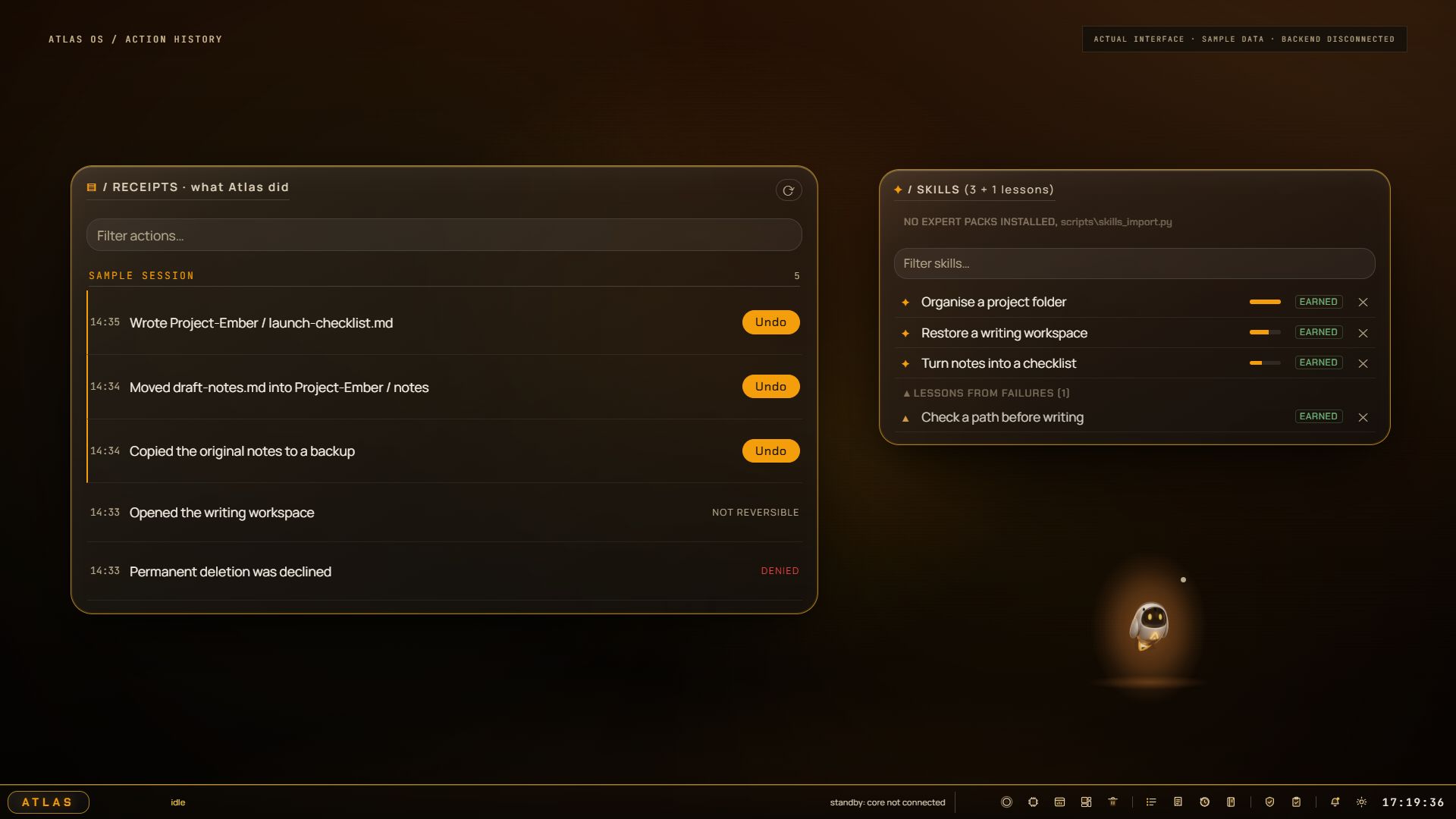
Receipts explain what ran, what failed and what was denied, backed by an audit log with integrity checks. Supported file writes, moves and copies have undo records. Actions that cannot be reversed are labelled accordingly.

The actual Receipts interface, showing sample actions and their different undo states. No file operations were performed for this capture. Open full size ↗

THE ENGINEERING

A shared core.
Built for one PC.

The desktop face uses HTML, CSS, JavaScript and Three.js inside QtWebEngine. An authenticated local WebSocket gateway connects it to the Python core: model management, task execution, memory, voice and system tools.

Local language models run through llama.cpp. Memory combines semantic and keyword search, while specialist agents use scoped toolsets. The default specialist path shares a loaded model; parallel coding and model-swapping paths are separate experiments.

Building around a 12 GB GPU makes resource use a practical constraint. Speech and embeddings have CPU paths, and model management includes GPU memory checks. Getting useful intelligence, voice and a responsive desktop to coexist is a central part of the work.

WHERE IT STANDS

Working foundations.
What carried forward.

Atlas OS is the earlier operating-layer prototype in the Atlas story. Desktop actions, task execution, memory, skills, voice and the shell are implemented. The screenshots above document the actual interface, captured without a running AI backend.

Activity recording, background screen awareness and autonomous action are opt-in. More ambitious experiments include overnight task queues, generated tools with approval, and staged edits to existing projects. Their presence in the code does not mean they are enabled by default.

I carried the local brain, tools, memory and safety work into Atlas Companion, which lives beside my normal Windows apps. The current build story continues with that companion and its native Android client.
An assistant earns trust
through what it does.

WHAT THIS PROJECT TAUGHT ME

Building Atlas has meant thinking beyond the conversation: how a task reaches the right tool, how failure is handled, what should be remembered and how the user stays in control. My work combines product direction, interface design, AI-assisted implementation and repeated testing on my own machine.

THE STORY CONTINUES / ATLAS

Same ambition.
A smaller companion.

Read the Atlas story