Your examples matter.
The voice corpus lets a creator include writing they like, exclude weak material and mark examples to avoid. Local embeddings support similarity checks against that curated material.
CASE STUDY / ATLAS STORY STUDIOA CREATOR’S WORKSHOP
Atlas Story Studio
My desktop workshop for making videos. Topic research, writing, quality checks and footage planning, with a place for my own voice in the process.
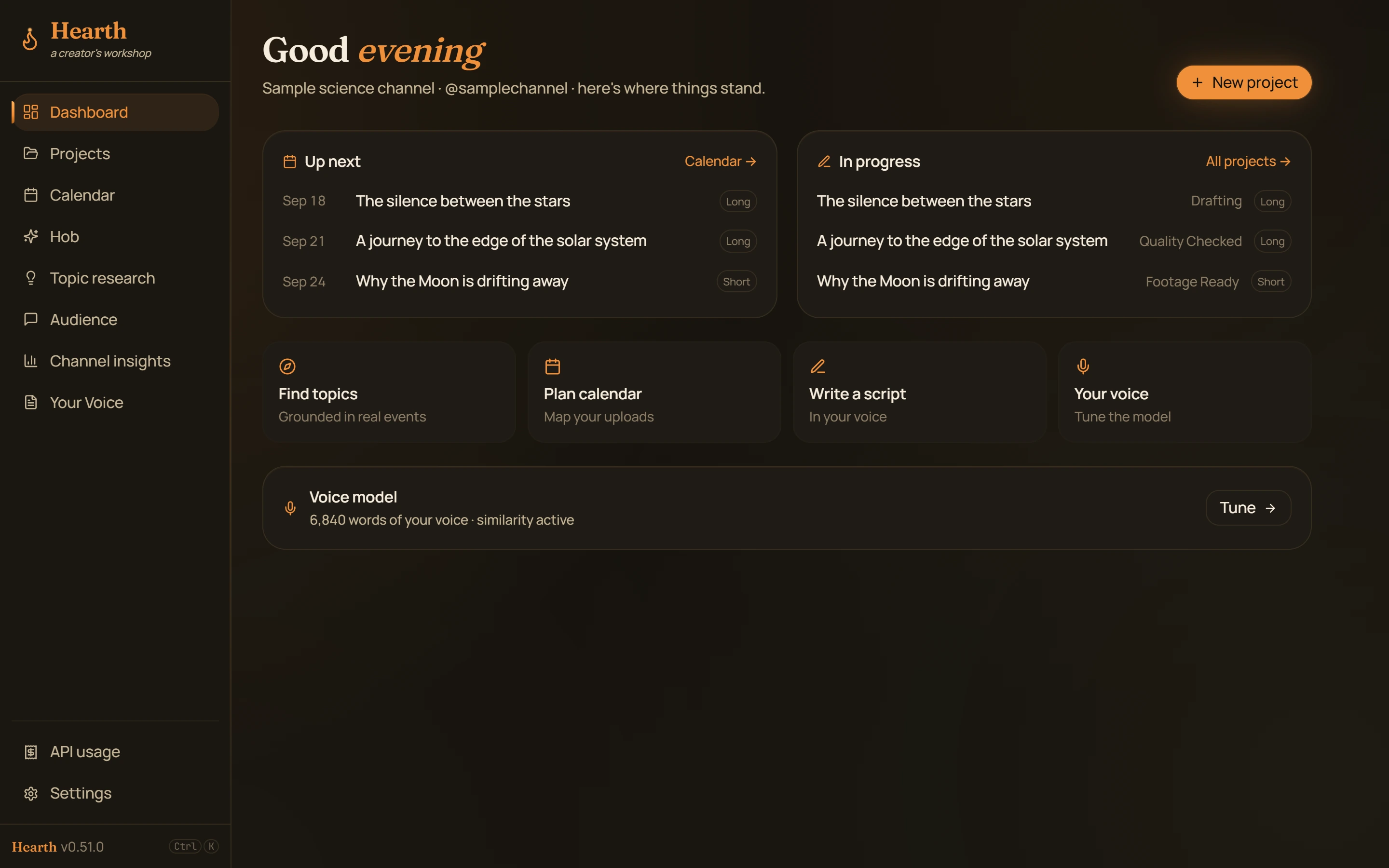
THE STARTING POINT
A video begins long before the edit. There is the topic, the research, the draft, the rewrite, the footage and the packaging. I built Atlas Story Studio around that work because I was doing it myself.
I also wanted help with writing without every script sounding like the same AI-generated narration. Atlas Story Studio brings voice examples, writing assistance and quality review into the workshop, so the creator stays involved in the choices.
HOW IT WORKS
The workshop follows the project through four stages. Each stage keeps the next piece of work within reach.
Research topics, connect them to upcoming events and plan the editorial calendar.
RESEARCH · CALENDARUse a curated set of your own writing and speech examples to guide assisted drafting.
TIPTAP · VOICE CORPUSReview generic phrasing, tone and structure, then gather footage and packaging ideas.
QUALITY CHECKS · MEDIA PLANNINGExport subtitles, shot lists and editing interchange files for the next stage.
SRT / VTT · EDL / FCPXMLINSIDE THE BUILD
The voice corpus lets a creator include writing they like, exclude weak material and mark examples to avoid. Local embeddings support similarity checks against that curated material.
A local SQLite database stores the workshop’s project state. Optional AI assistance uses the creator’s configured provider and API key; those requests go to that provider. Local storage and cloud assistance are distinct parts of the design.
The Electron application connects a React and TypeScript interface to the Node services through validated messages. Cost metering, spend caps and editor exports turn separate features into a usable workflow.
The tool can help write.
The voice should still be mine.
WHY I KEEP BUILDING IT
Atlas Story Studio grows from making videos and noticing where the work gets stuck. A draft needs tightening. A shot needs footage. A new idea needs somewhere to go.
It is still an evolving personal tool. The interface shown here is the existing application renderer with fictional projects, so the workflow is visible without publishing private drafts or channel data.
NEXT PROJECT / ATLAS