Help in their own language.
A guided conversation with clear choices, a VIN photo and confirmation. Drivers can describe their problem without having to explain it over the phone in English.
FROM REAL PROBLEMS
I build local AI and workflow software, working with AI coding assistants from requirements and system design through implementation, debugging and release checks.
LOCAL AI. WORKFLOW SOFTWARE. BELGIUM.
01 / FROM THE TERMINAL FLOORINDEPENDENT PROTOTYPE
MULTILINGUAL DRIVER ASSISTANCE
International drivers need help with everyday problems at vehicle terminals. My first-hand experience of that work inspired this independent prototype.
A flat battery. No fuel. Damage. A car that is not where it should be. Or a map they cannot read. A phone number on their paperwork is only a starting point. Explaining the problem is difficult when the driver and desk worker do not share a language.
THE PROTOTYPE, ON SCREEN
I built a WhatsApp assistance prototype that guides drivers in their own language. They choose what they need, photograph or type the vehicle identification number, confirm it, and select the issue. The request arrives on a dispatch board for the appropriate team.
1 min 51 sec · Recorded prototype · Dutch interface
The prototype keeps conversation state while the driver moves between help, map and vehicle steps. An issue selected early is retained until the VIN is confirmed. Confirmation buttons carry the VIN they refer to, so a previous button cannot confirm a different vehicle.
The simulator and dispatch board use the same local ticket store. Regression tests use isolated stores and mocked external requests. This demonstrates the workflow locally; it does not establish readiness for a live terminal deployment.
A guided conversation with clear choices, a VIN photo and confirmation. Drivers can describe their problem without having to explain it over the phone in English.
The vehicle, issue and supporting photo arrive together. The board provides technical, desk/scanner and emergency queues so staff can see what needs attention.
This is a personal prototype with a working local demonstration. I can run a small pilot with the people who do the work. A live terminal connection is not built yet. That would be part of the pilot.
Next step If you run a terminal, I can pilot this with your team on a real site. The recording is a local simulator. Connecting it there would be the work of the pilot.
ANOTHER TERMINAL WORKFLOW
My freight-document parser takes a photo or upload of a CMR consignment note and uses a vision model to extract vehicle and shipment details. Desk staff can review the fields, correct them and confirm a structured record.
The capture-station flow checks document placement and image quality before taking a photo. Uncertain fields go back to a person for review. It is still in development; a live terminal-system connection has not been demonstrated.
02 / LOCAL INTELLIGENCERUNTIME · TOOLS · INTERFACES
A local AI companion.
A shared runtime behind it.
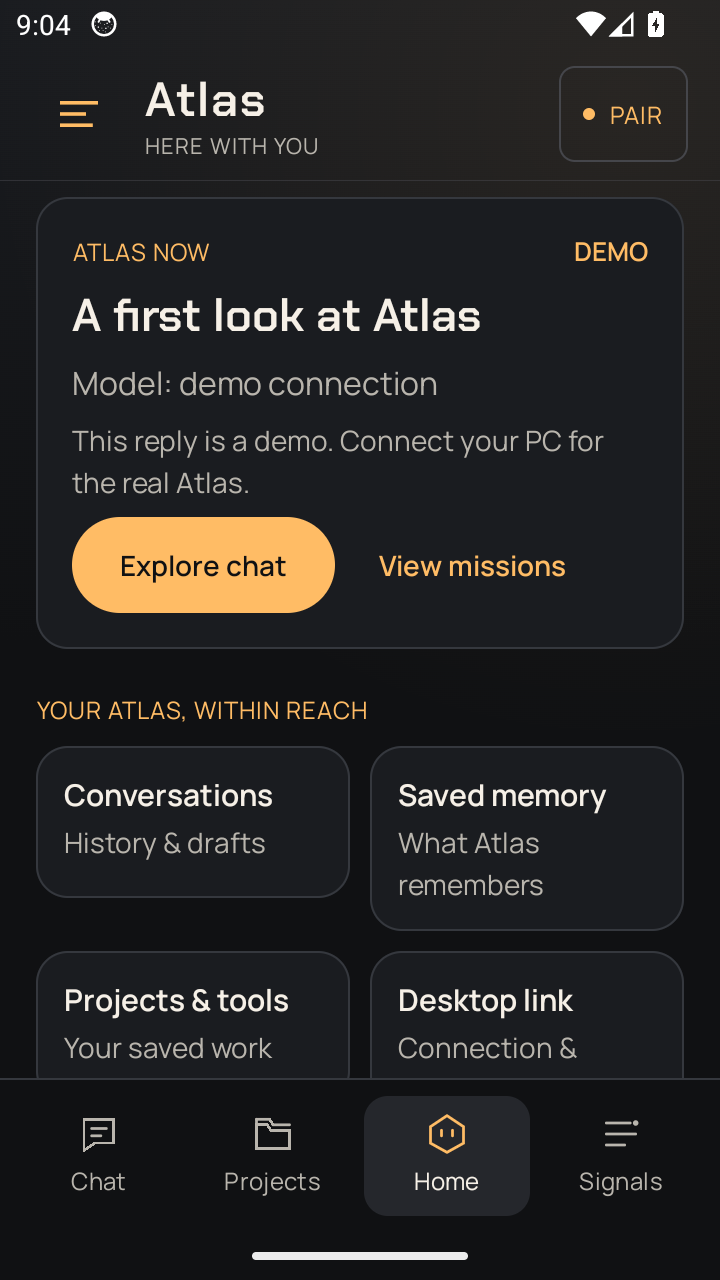
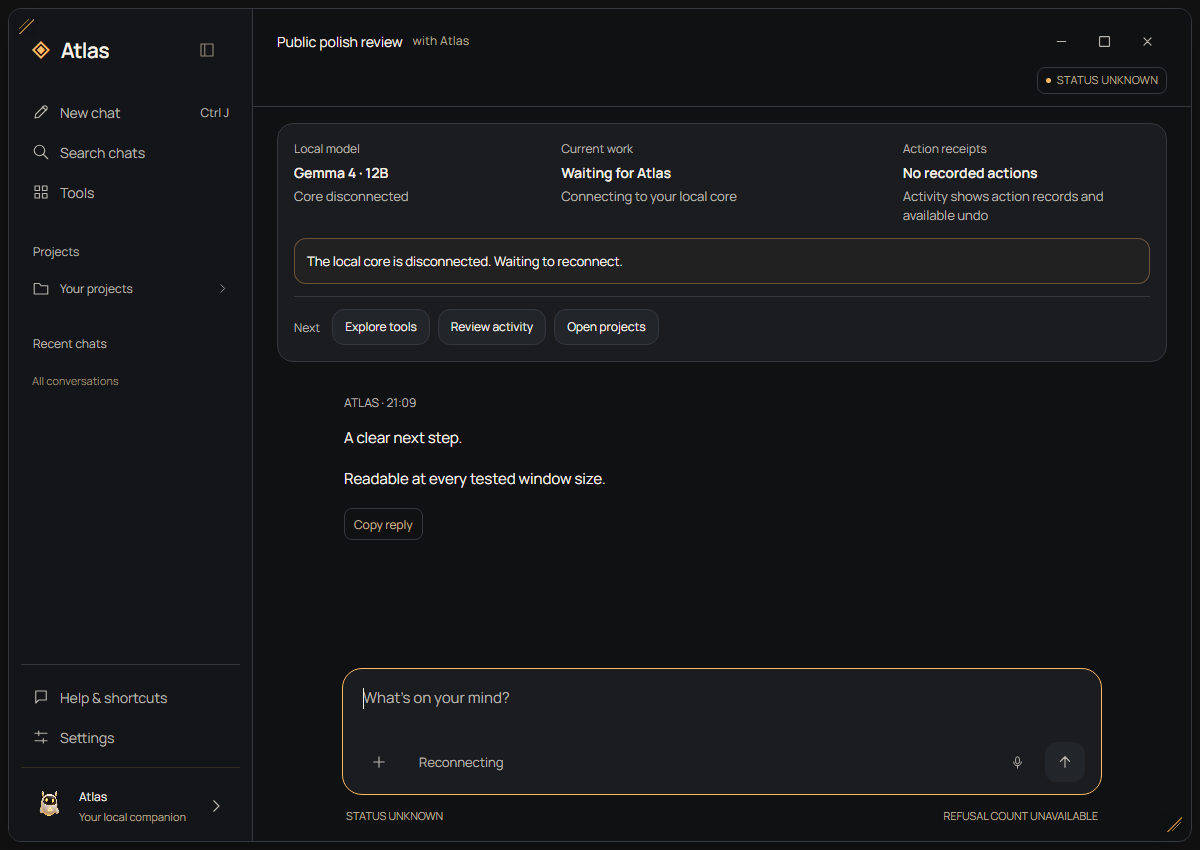
Atlas connects a Windows companion and an Android client to a local Python runtime. Recent work focuses on the boundaries between a model's proposal, owner approval and a checked result, with saved phone tools alongside chat. Voice and wider reliability remain active work.
[Atlas] Loading brain + memory...
[net]   Hard-offline until unlocked
[voice] Wake word armed: “Atlas”
[boot]  CORE ONLINE · LOCAL INFERENCE▊
I wanted my own Jarvis: a companion that remembered, helped me build software, worked on my PC and shared everyday tasks.
Autonomous work kept meeting a sensible boundary around protected system files. I tried building an operating layer with AI at its centre, then realised the scale of that project.
I returned to the companion I wanted at the start. It lives beside my normal Windows apps and carries the local brain, tools, memory and safety work from the OS experiment.
Windows and Android, one release. Explore Atlas 0.18.7, its current interfaces and the engineering decisions behind checked outcomes and learning experiments.
Explore the Atlas case study ↗Ten documented lab scenarios cover specific outcomes and failure cases. Broader reliability and everyday use remain active work.
THE RUNTIME IS ITS OWN PROJECT
Companion is the interface. Atlas Engine is the experimental inference runtime: loading model weights, managing memory, executing CUDA kernels and generating tokens. It is where much of the deeper systems work happens.
Explore Atlas EngineRecorded native comparison, 26 October 2026: 17.4 → 26.4 tokens/s with the same measured output. Loading and prompt processing are excluded. Read the method and limits
04 / THE APPROACHHOW I BUILD
I work with AI coding assistants on architecture, implementation and debugging. AI writes much of the code. My contribution is defining the behaviour, working through trade-offs, testing what was built and deciding what needs another pass.
I start with the user workflow and its failure cases. With AI support, I work through which components are needed, what data they exchange and where permissions belong. Those decisions become requirements for the implementation.
I break features into smaller changes, try them in the application and bring concrete failures back into the next iteration. That includes UI behaviour, model configuration, hardware limits and the connections between components.
I use demos, regression tests and release checks to challenge a change. For Atlas, that includes checking actual file contents and whether existing files were protected. I distinguish a passing test from a feature proven in everyday use.
Define the behaviour.
Verify the result.
I am self-taught and still building my engineering knowledge. I am looking for a junior role where I can contribute this practical experience and learn from an experienced team.
DESIGN DECISIONSTHREE CONCRETE EXAMPLES
The interesting work is in the boundaries: what the model may do, what the software checks and when a person needs to decide.
01 / ATLAS
The model proposes an action. The runtime checks its scope and approval. Declared file outcomes need independent content and test checks before they can be marked verified.
Explore the outcome checks02 / TERMINAL ASSISTANCE
A driver can ask for a map, return to a request and confirm a vehicle. The flow must remember the right issue and reject an old VIN confirmation.
Read the workflow decision03 / FREIGHT PARSER
A vision model proposes document fields. Schema and VIN checks catch invalid output; a person reviews the record before it is confirmed.
See the validation approach05 / SELECTED WORKBUILT. USED. REFINED.
Tools I use, prototypes I can demonstrate, and experiments that taught me something. Open a project to see the interface, my contribution and where it stands.
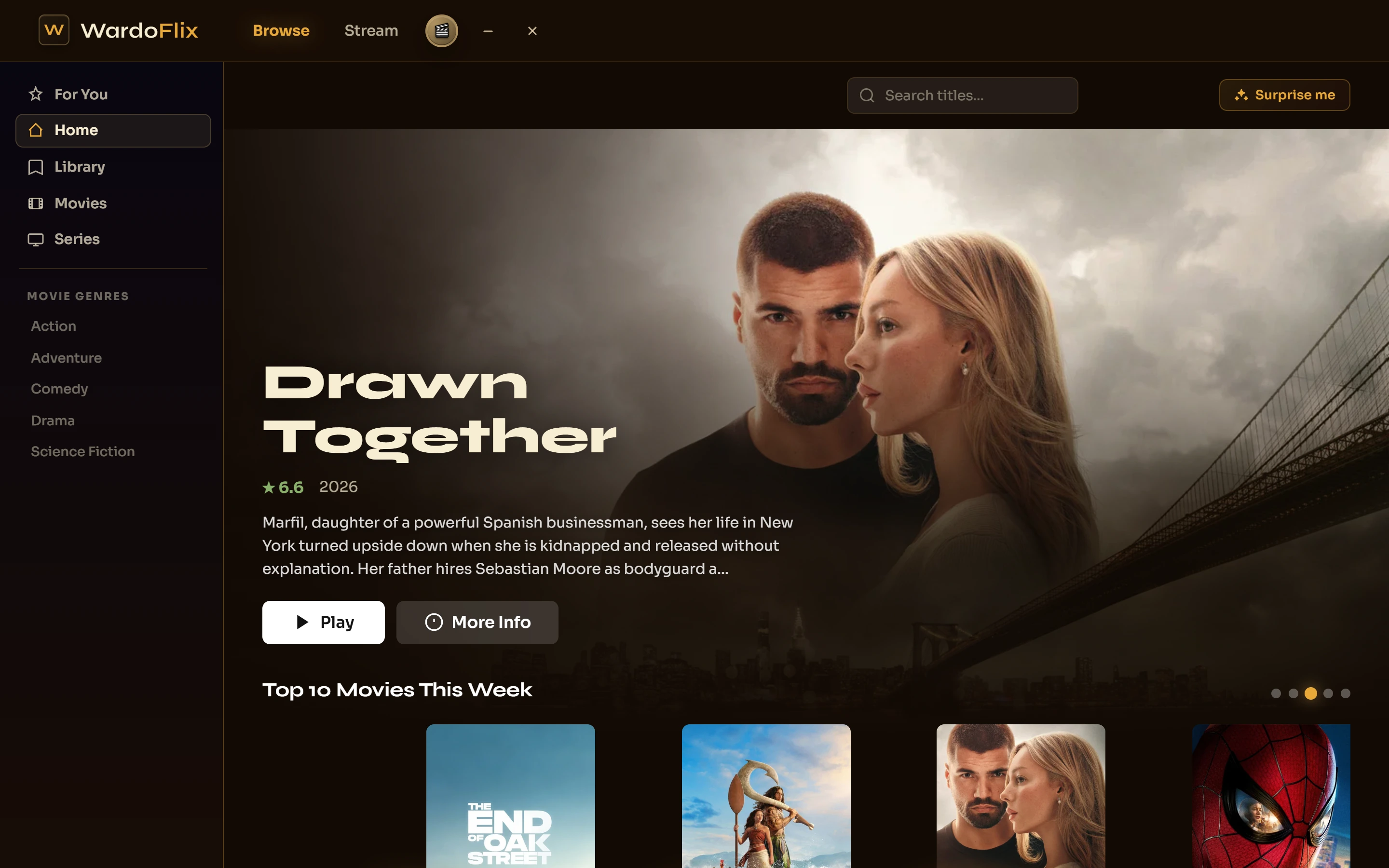
Existing read-only app interfaces. Select a project to take a closer look.
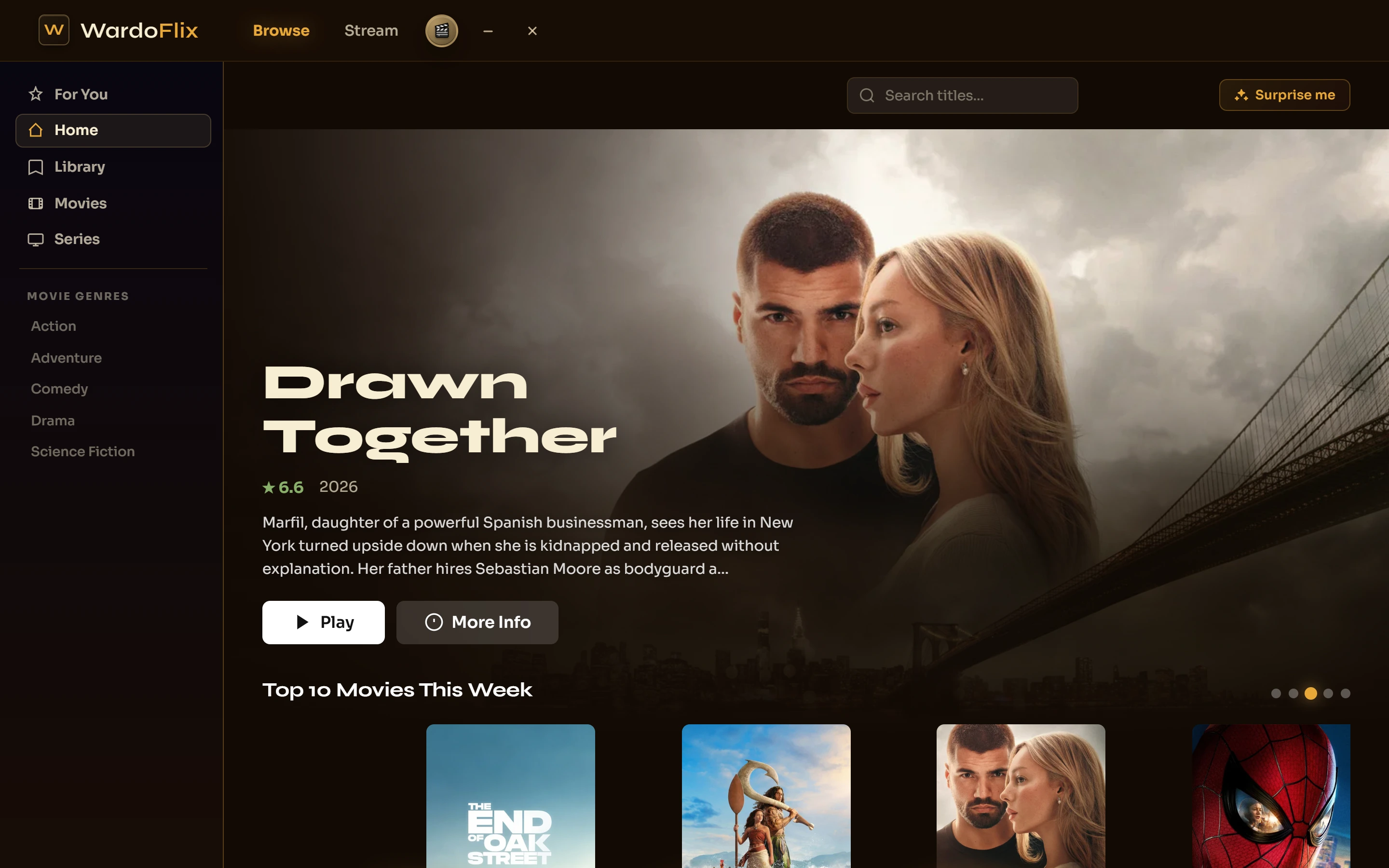
A personal streaming client with a cinematic interface, subtitle support and a media engine underneath. React on desktop and web.
Open projectA personal streaming client with a cinematic interface, subtitle support and a media engine underneath. React on desktop and web.
Python and Lua automation bolted onto DaVinci Resolve. Forced alignment that snaps lyrics to vocals, subtitle burning, marker automation, export checks. It cut the boring half out of making my music videos.
A video downloader that grew up. Test suite, GitHub CI, a Windows installer and its own auto-update server template. The project where I learned what shipping actually means.
My everyday workshop for making YouTube videos. Research, writing, footage and analytics, all at one desk.
A local document assistant for Dutch-speaking teams. Assembled and tested on my own hardware, with answers grounded in the supplied paperwork.
The Windows operating-layer experiment behind Atlas Companion. Desktop actions, memory and reusable skills came together here before I returned to a smaller companion.
View projectA quick quoting tool for a solar panel cleaning venture. The business never launched. The calculator did.
Earlier budgeting and Godot prototypes, alongside visual web output generated by Atlas. An archive of exploratory work, with the generated material attributed to Atlas.
06 / BEYOND THE TERMINALSAME CURIOSITY. DIFFERENT FREQUENCY.
The tracks are AI-made under my direction: my stories in the lyrics, my call on the genre, generated in Suno. The videos are the part I craft myself, cut in DaVinci Resolve with my own toolkit doing the tedious parts.
Based in Belgium. Haven is aimed at Dutch-speaking firms; everything else I build and learn in English.
07 / YOUR MOVE
I build and test software and automation around concrete problems I come across. Especially repetitive tasks, cumbersome processes and things that make you think: surely this could be simpler?
Does your business run into a problem like that? I’d like to hear how you handle it today. I’m happy to explore where software might help.
I develop these projects myself, with help from AI tools. I can show what already works, how I’ve tested it and where there’s still work to do.
wardgeys.dev@gmail.comBelgium · replies in Dutch or English